How do I edit more than one entry at once?
Last updated: August 18, 2026
In the event you have numerous entries where you'd like to apply the same changes to, follow the below steps to make edits in bulk.
This video will walk you through using the multi-select box to quickly edit your entries in bulk.
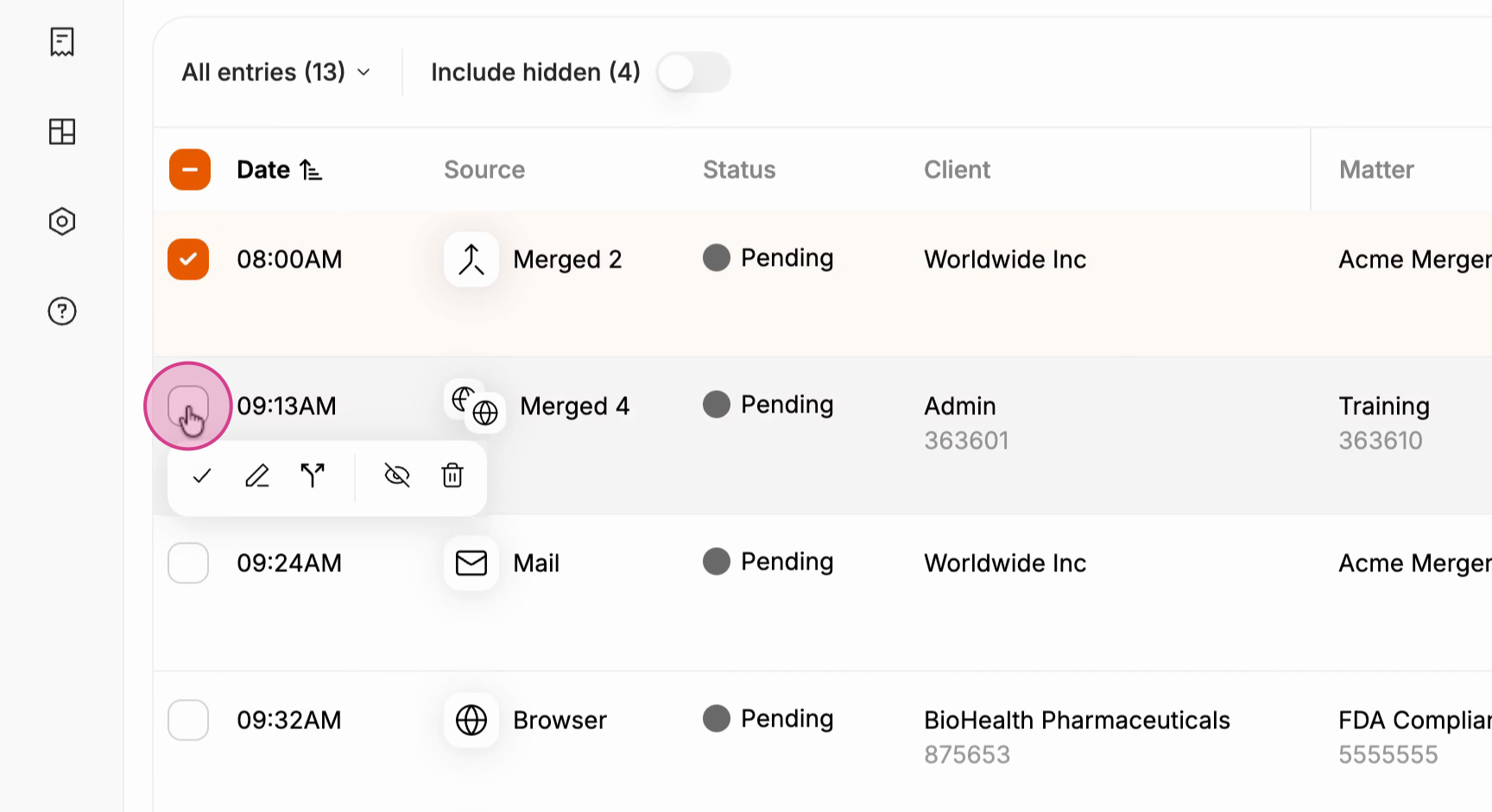
1) From the Time Entry Dashboard page on Billables AI, you can select time entries and then click the "edit" button.
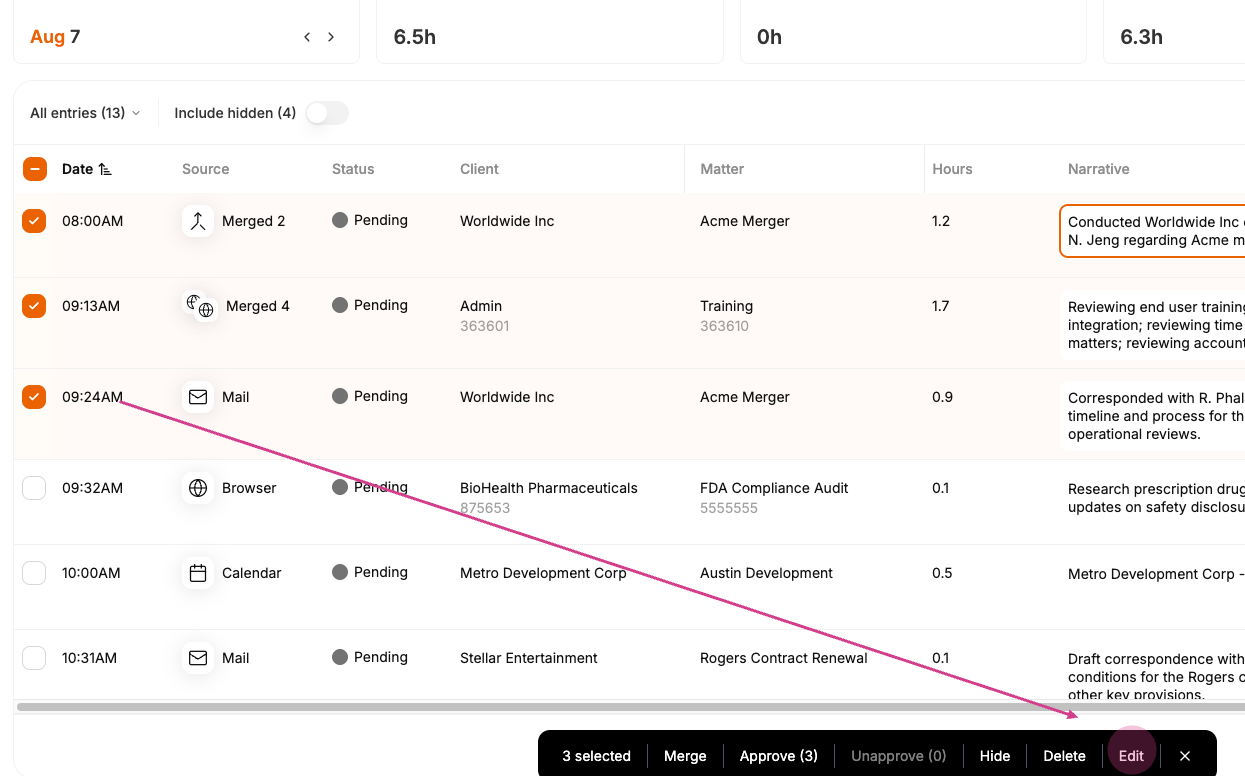
2) Once you click "edit," then you can select the fields you would like to change for all the selected entries.
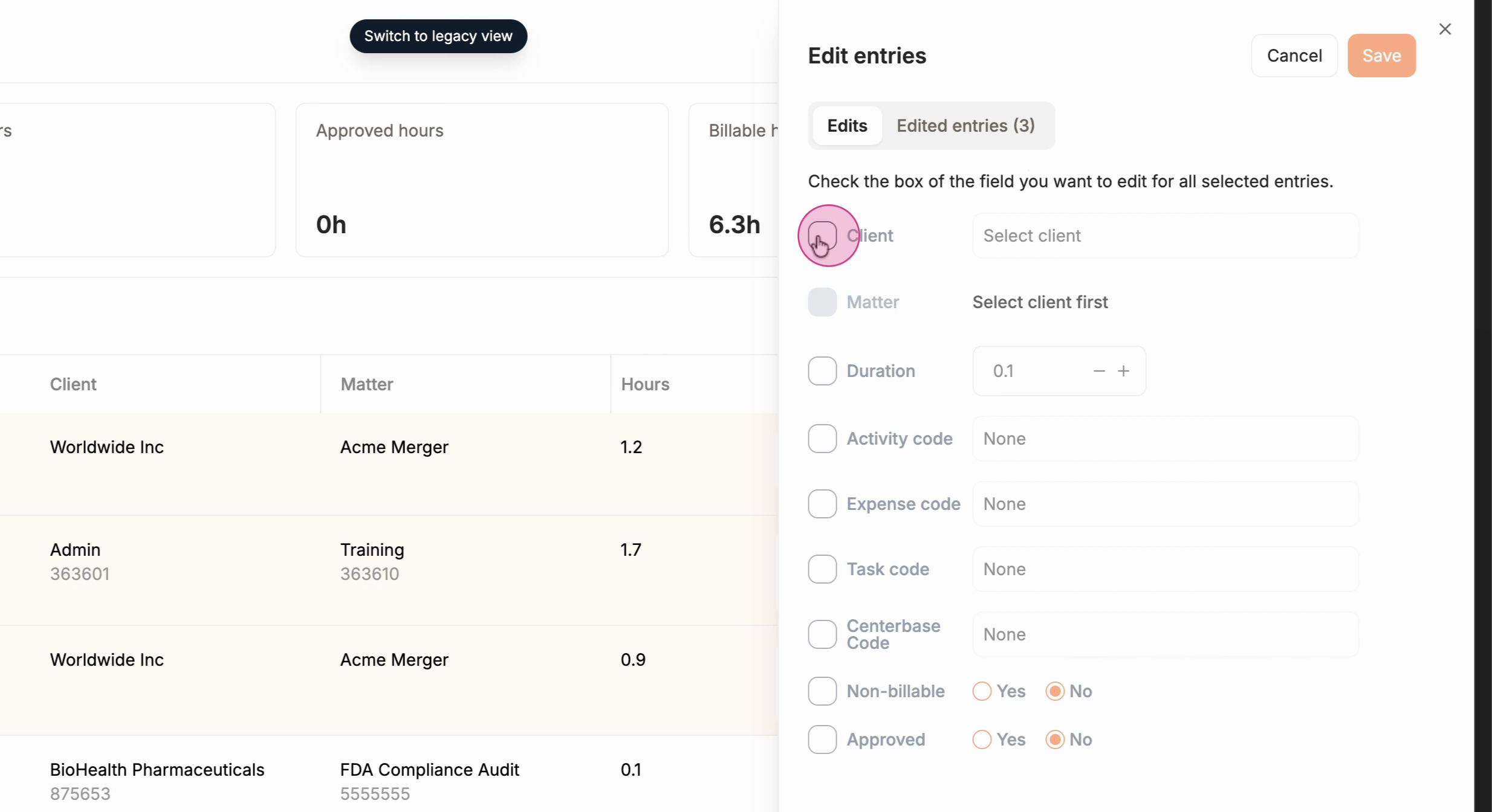
This is a useful feature especially in the early days of your Billables AI usage when Billables AI is still learning your client and matter associations. This feature is also useful if your firm:
changes required codes
you realize you assigned the wrong code to a series of entries
you want to un-approve entries
or you want to under-report the duration of a series of entries.