Manual Mode for Contemporaneous Billers
Last updated: October 8, 2026
Enhance your manual timekeeping process with AI-suggested time entries to capture additional time.
Manual Mode is built for timekeepers who want full control over how they capture time without giving up the intelligence that makes Billables AI so powerful. As you add entries and run timers throughout the day, the AI works in the background to surface missed billable activity and ensure your narratives meet compliance standards. The result is a complete, polished time record that's ready to bill with confidence.
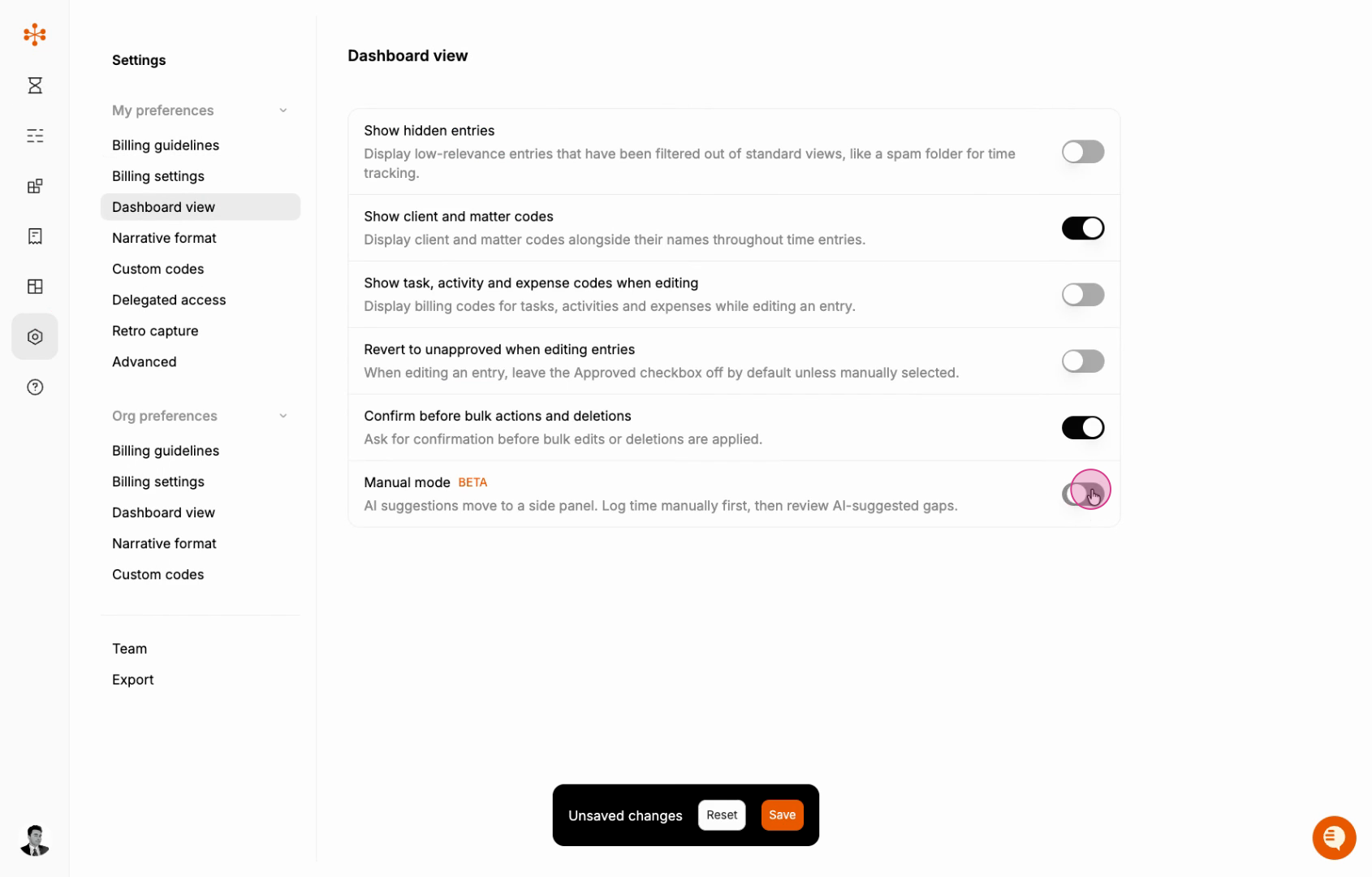
To enable Manual Mode in your dashboard:
Go to Settings > My preferences > Dashboard view and enable Manual mode.
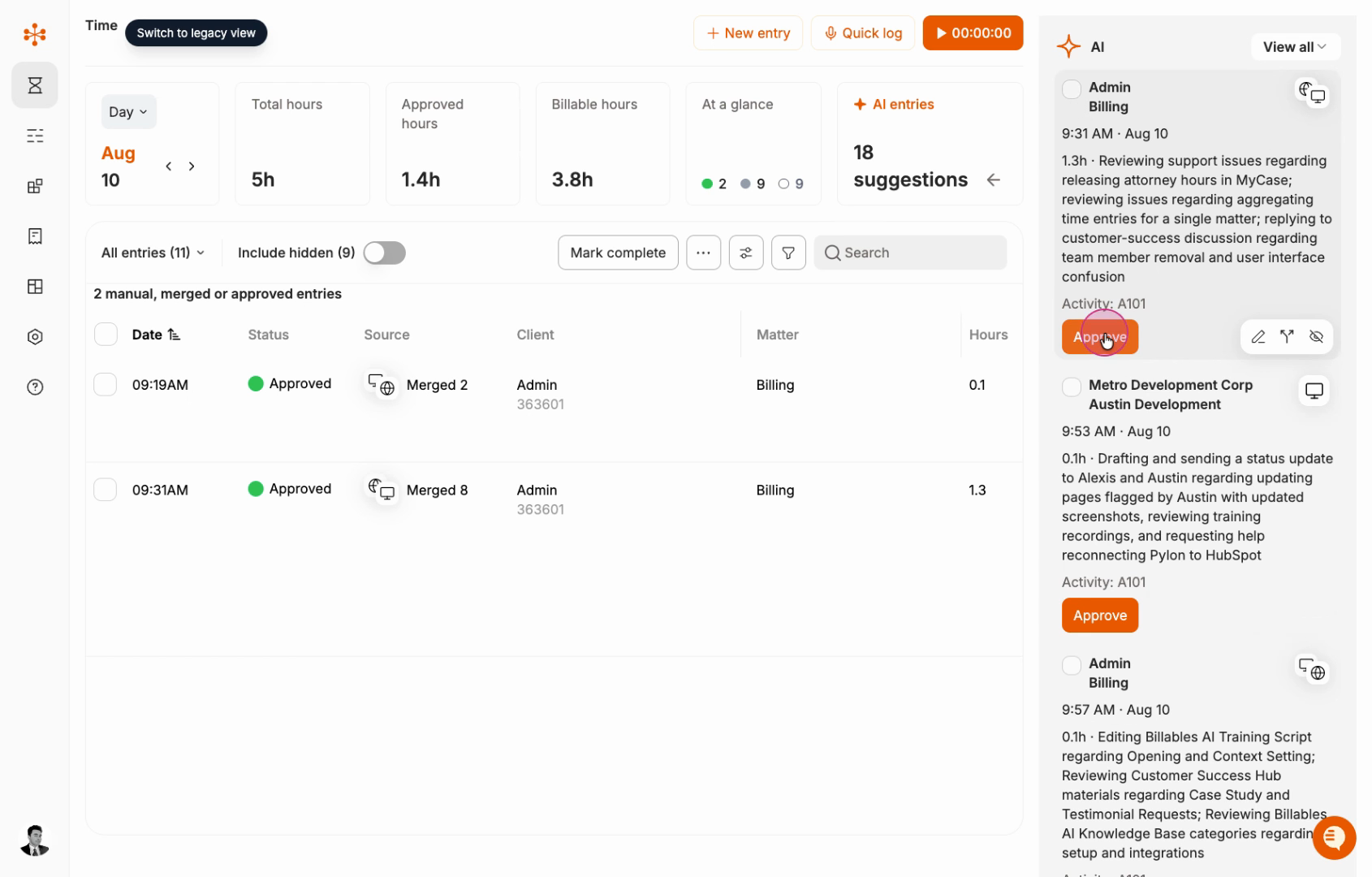
On your dashboard, an AI panel appears on the right with AI-generated entries.
The left side will show all your manually created or approved time entries.
The right side will show additional AI-suggested entries.
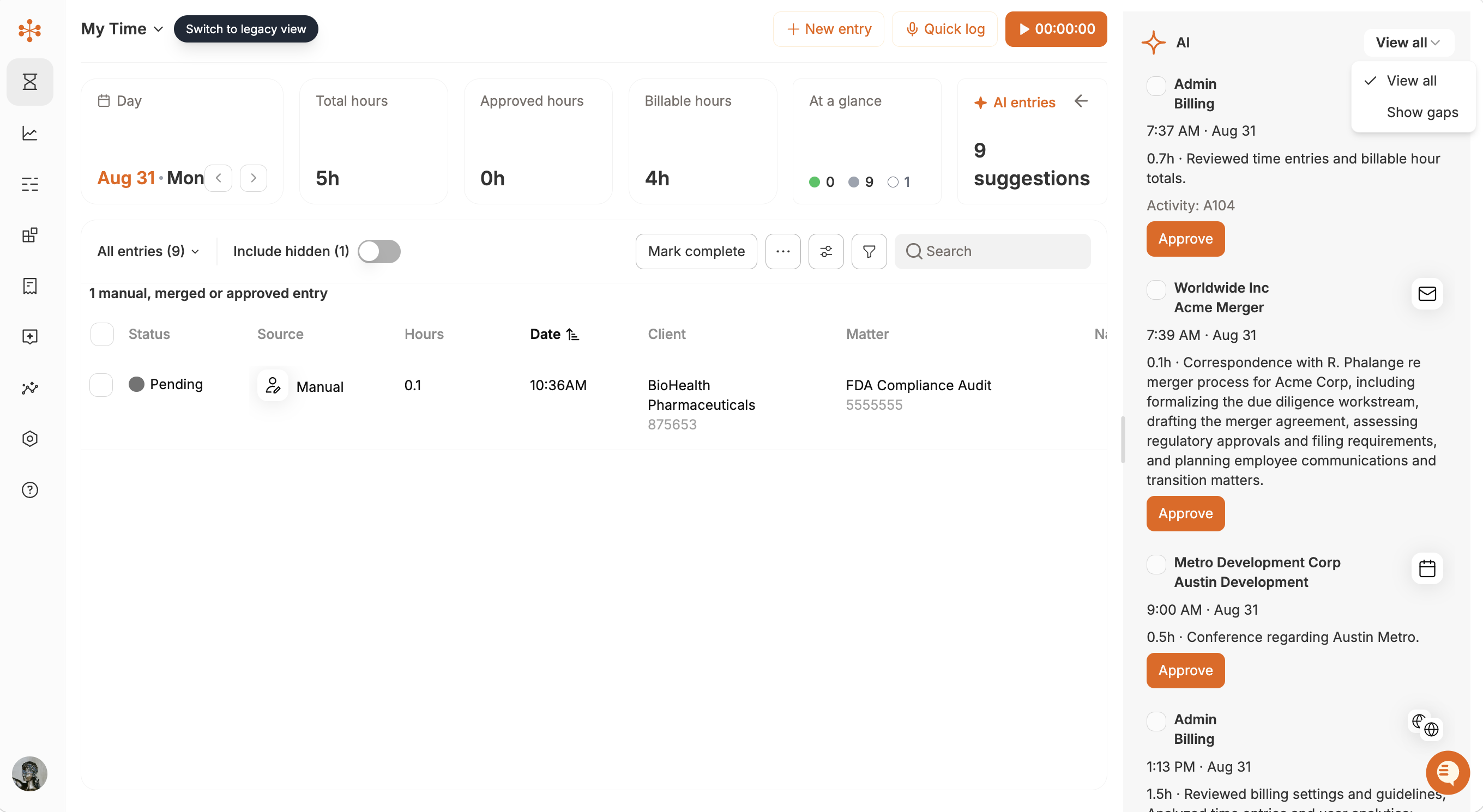
You can filter the AI-generated entries on the right by the following parameters:
All: See all AI-generated entries, which may include duplication with your manually captured time
Show hidden: reveal any low-relevance AI-generated entries that may have been captured
Show gaps: Show only AI-generated entries that supplement your manual entries by identifying time that may have been missed.
Approving or merging any AI-generated entries will approve them and add them to your main dashboard.