
Manual Mode is built for timekeepers who want full control over how they capture time without giving up the intelligence that makes Billables AI so powerful. As you add entries and run timers throughout the day, the AI works in the background to surface missed billable activity and ensure your narratives meet compliance standards.
The result is a complete, polished time record that's ready to bill with confidence.
Follow the guidance below to enable this mode for your Billables AI dashboard.
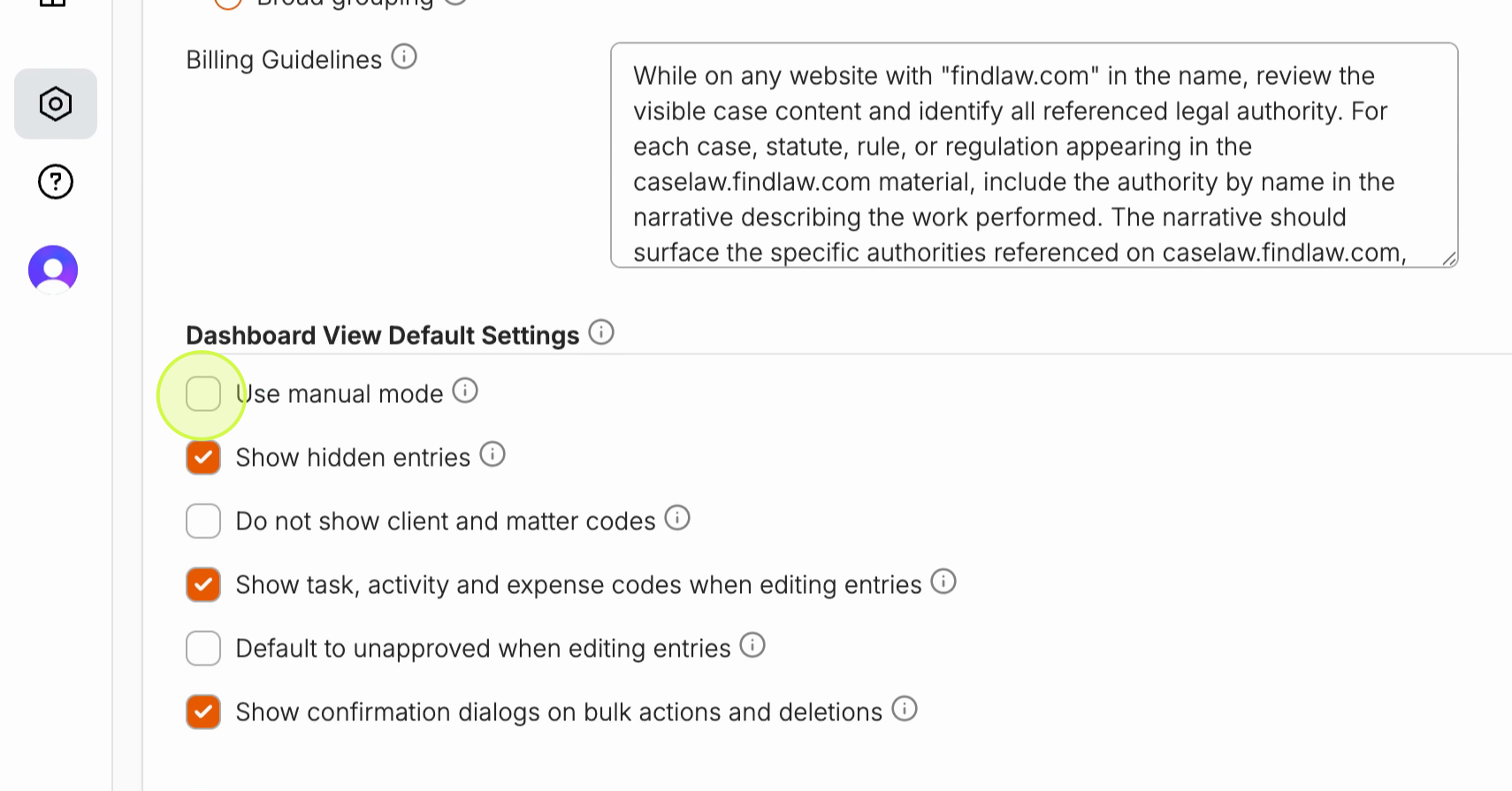
Step 1: Go to Settings and enable Manual Mode under Dashboard View Default Settings.
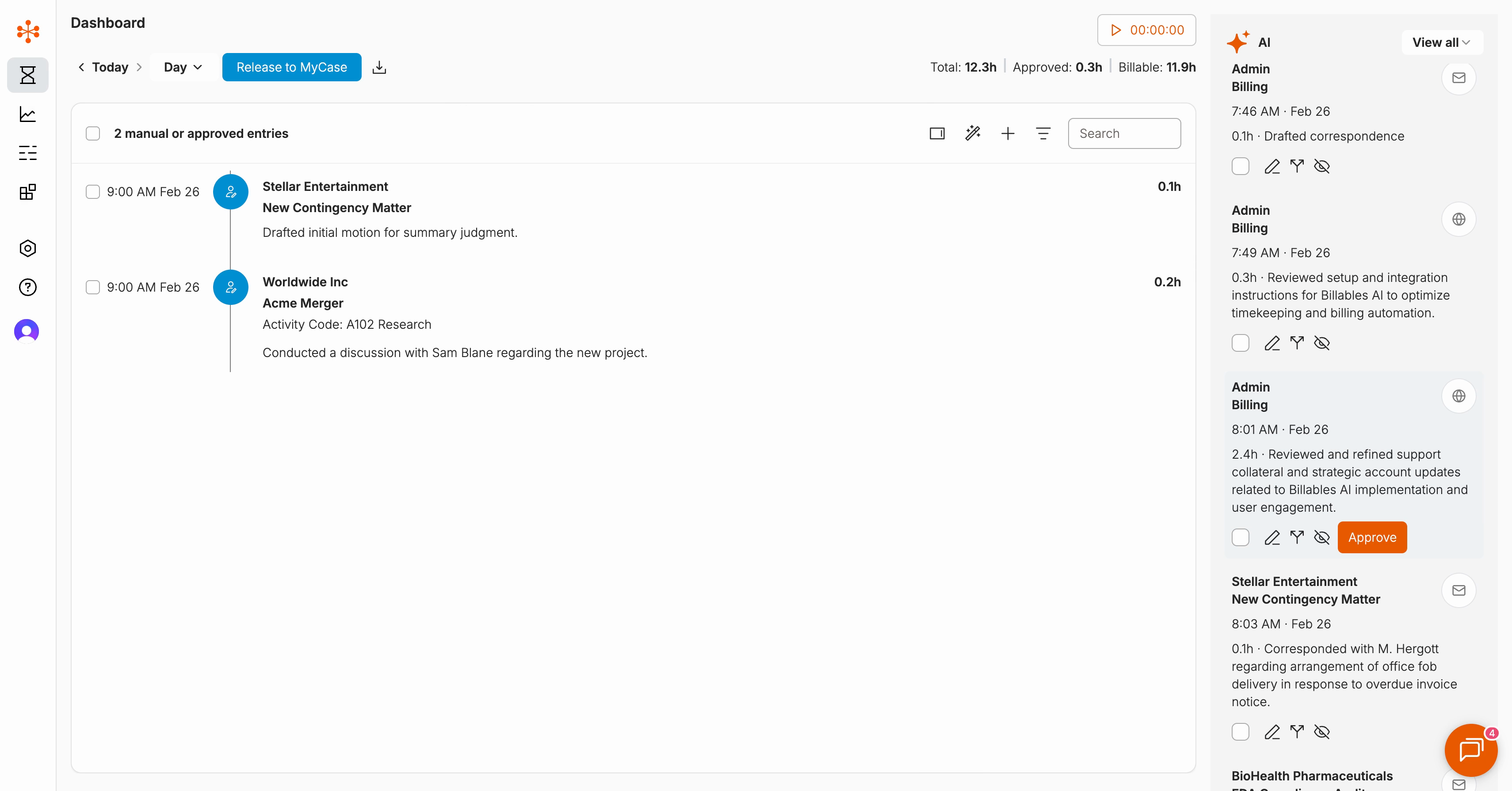
Step 2: On your dashboard, an AI panel appears on the right with AI-generated entries.
- The left side will show all your manually created or approved time entries
- The right side will show additional AI-suggested entries
Step 3: You can filter the AI-generated entries on the right by the following parameters:
-
All: See all AI-generated entries, which may include duplication with your manually captured time
-
Show hidden: reveal any low-relevance AI-generated entries that may have been captured
-
Show gaps: Show only AI-generated entries that supplement your manual entries by identifying time that may have been missed.
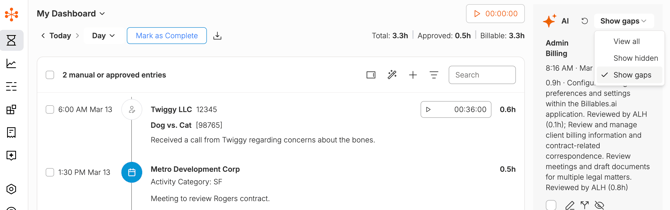
You can review and approve any of the AI-generated time entries. All approved time entries will show up on the main display of your dashboard.
For more details and advanced usage, please check out our video: