
Delegated Access is a feature available upon request and based on account subscription level. Delegated Access is enabled at a firm level. Once enabled, anyone in the firm will be able to delegate access.
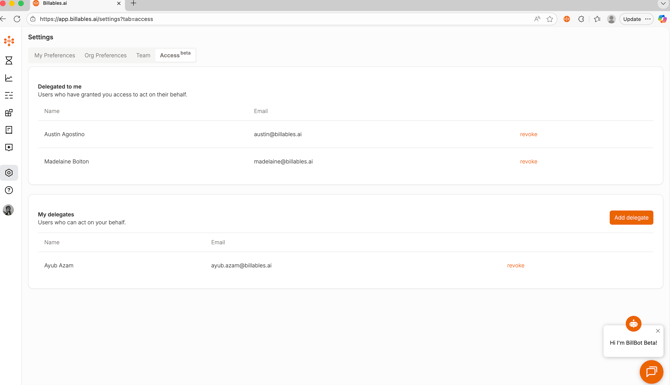
1) Timekeepers that would like a trusted colleague / Billables Admin to edit and approve their time entries must authorize this person access by navigating to the Access tab on the Settings page. You will add delegates by clicking "add delegate."
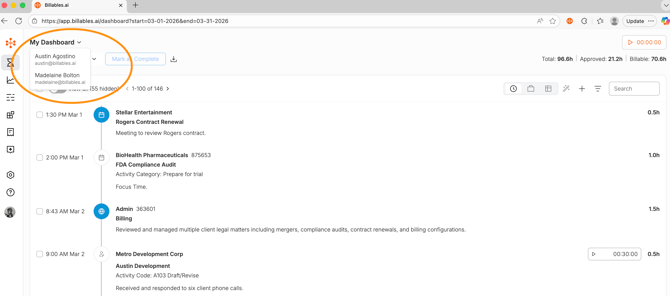
2) Once an Admin receives authorization as a delegate, then they can access this timekeeper's profile via the dropdown on the Dashboard.
3) The delegate can edit and approve time entries consistent with the timekeeper's preferences.
Note: A delegate must be a Billables Admin.
Please reach out to hello@billables.ai if you'd like to experience this feature or discuss further.