
The Google integration includes all Google Meetings (video, audio) and Google phone.
Get started:
-
IT admins need to install the integration on behalf of members of the org. See more.
-
Each user will need to activate the integration on their integrations page. See more.
Individual users won’t be able to enable the user managed Google App until the account managed app is approved and added by the IT Admin for their account.
[Users] Installation Instructions
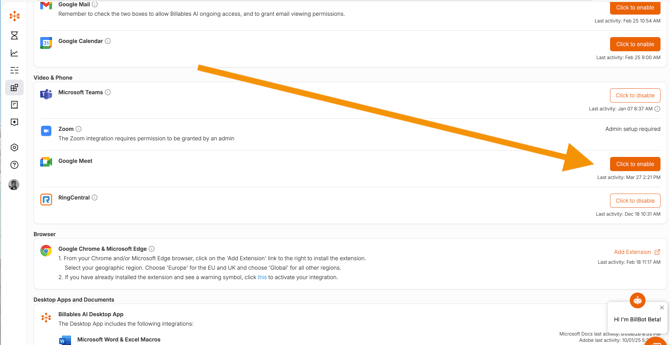
Go to your integrations page on the Billables website. Select "Click to Enable" to activate your Google integration.
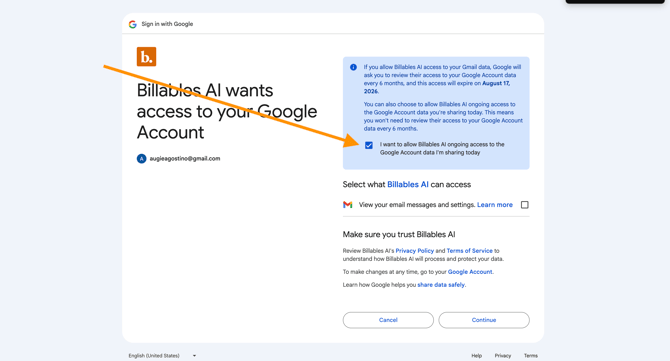
You may be prompted to Allow Billables AI ongoing access to your Google Account data. Check the allow box.
If the integration was successfully set up, you will be redirected back to the integrations screen and the Google button will now read "Click to Disable". You will also start seeing time stamps for your last Google activity.

[Users] Removal Instructions
Navigate to the integrations page on the Billables website. Click the Disable button. This will remove your integration with Google and there will no longer be any billable entries created for Google activity.
