
Once the firm setup is complete, each user can enable their own integration. This process is click-to-enable and only takes a few minutes. Start by navigating to your Billables Integrations page.
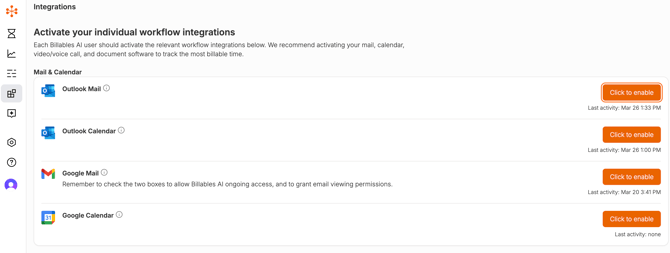
Connect the applications your firm uses in each workflow category to capture the most complete activity data and improve time entry accuracy. Most integrations are click-to-enable and take only seconds to set up.
-
Email: Captures the time you spend sending, drafting, and (optionally) reading emails, providing a full view of your communication activity. (Outlook, Gmail)
-
Documents: Works seamlessly with to recognize time spent editing, reviewing, and managing documents. (Microsoft Word, Sharepoint/OneDrive, and Google Workspace)
-
Calendar: Syncs with calendars to automatically record meetings and events. (Google, Outlook)
-
Browser: Our extensions track relevant online activity for a complete record of your day. (Chrome, Edge)
-
Calling Software: which capture not only scheduled calls but also the calls you make and receive throughout the day. (Microsoft Teams, RingCentral, Zoom, Google Meets)