Insights
Insights is a new chat-based way to explore your work activity in Billables AI. Instead of pulling reports or navigating dashboards, you can ask questions in plain language and get answers based on the activity already being captured across your email, calendar, documents, and meetings. It’s built on top of the same underlying data that powers your time entries, giving you a more direct way to understand how your time is being spent.
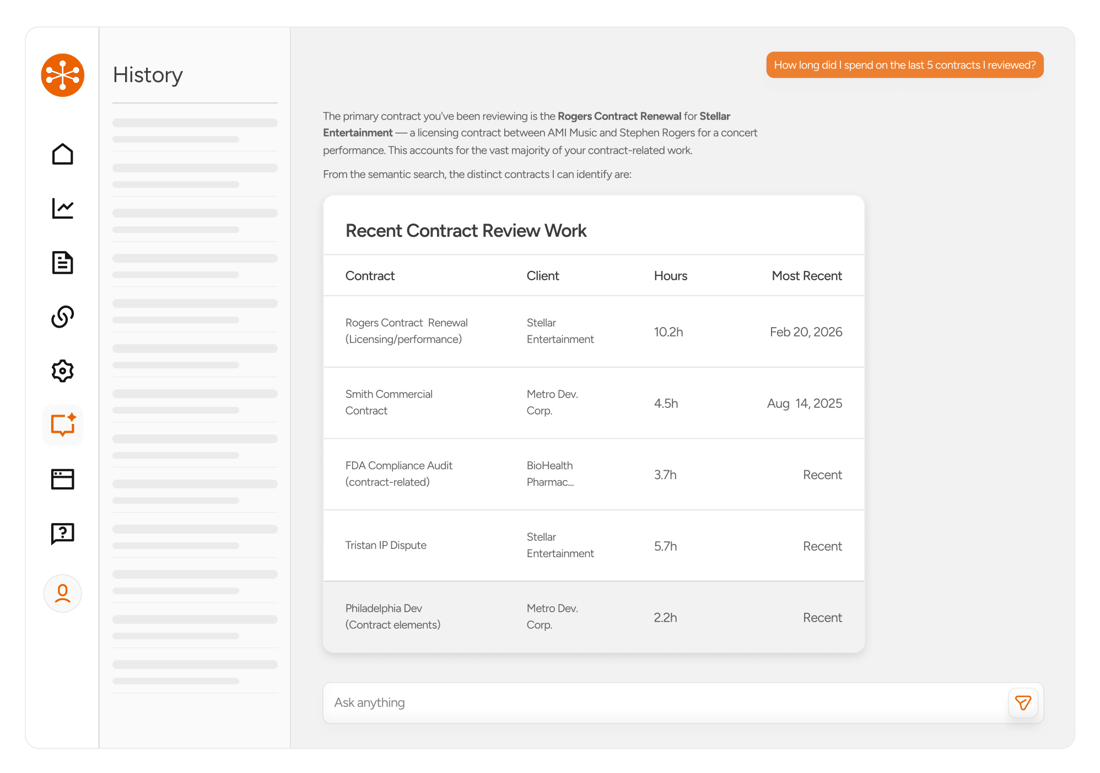
Billables AI automatically captures and structures work activity across your tools, allowing Insights to surface trends and breakdowns across clients, matters, and activity types without additional setup. For example, you can ask:
-
How much time did I spend on the Smith matter last month?
-
What does my billable vs. non-billable time look like this week?
-
Which clients are taking up most of my time recently?
-
How much time am I spending in meetings vs. email?
It’s a faster, more flexible way to get visibility into your work without having to build reports manually. Click here to access Insights now.
Manual Mode
We’ve introduced Manual Mode to support users who prefer to keep their current timekeeping habits while still benefiting from Billables AI. You can continue to enter time manually as you do today, while Billables AI runs in the background to capture additional activity and suggest entries you may have missed.
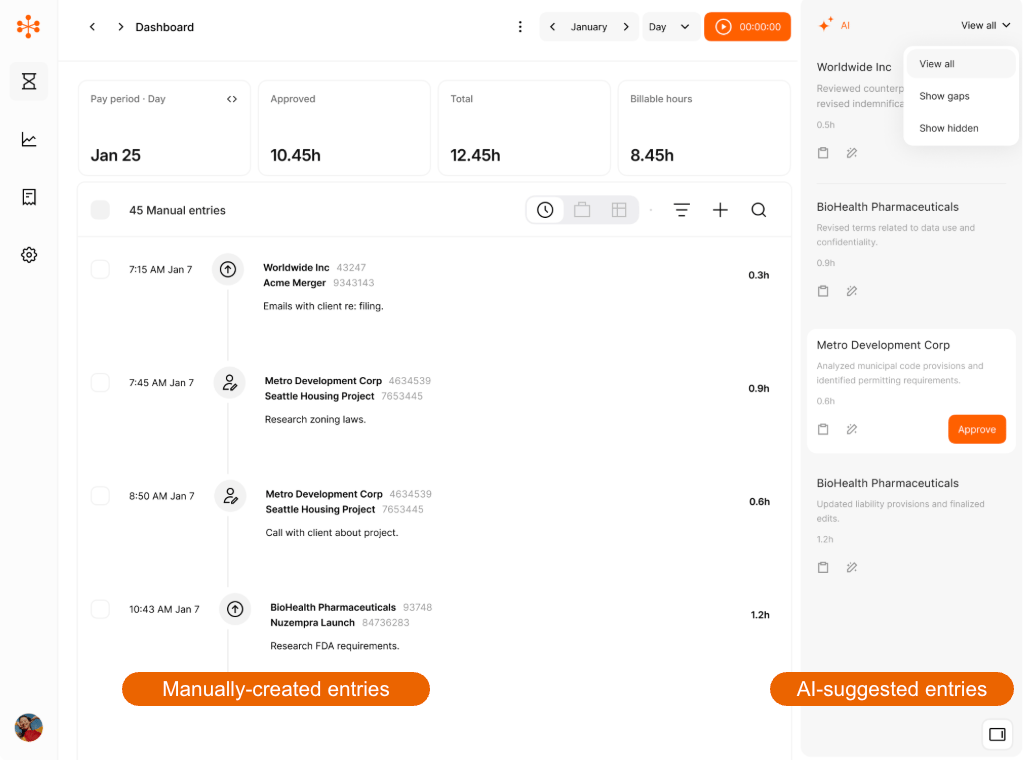
With Manual Mode, you'll have a clean interface to see your manual entries in the main dashboard with AI-suggested entries on the right panel.
Manual Mode is designed to be additive, not disruptive. AI-suggested entries can be filtered to show everything captured or just the gaps based on your manual entries, making it easy to spot missed time. You can also use AI to refine and improve your narratives, helping ensure entries are clear, consistent, and client-ready without changing how you work.
To activate Manual Mode, visit the Billables AI Settings page.
HIPAA & SOC2 Type 1 Compliance
We’ve expanded our security and compliance posture with HIPAA compliance and SOC 2 Type I certification—making it easier for your firm to meet client, regulatory, and internal security requirements.
These updates formalize the controls behind how Billables AI handles sensitive data, while maintaining our privacy-first approach: minimal and optional use of screenshots, no keystroke logging, and limited data access required to generate accurate time entries. For firms working with regulated clients or stricter data standards, this helps streamline security reviews and gives added confidence in day-to-day use.
Delegated Access
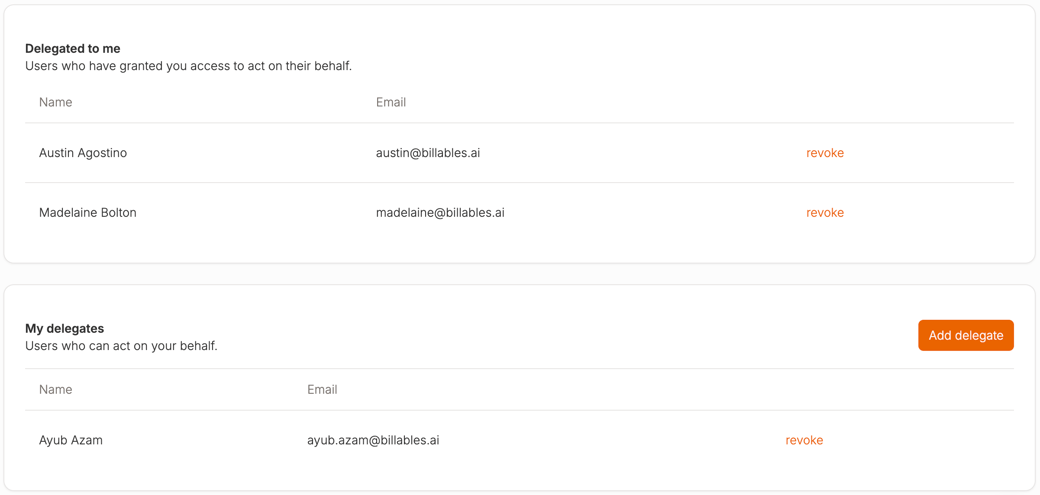
Delegated Access allows you to assign others—like assistants or billing staff—permission to view and edit your dashboard. This makes it easier to collaborate on time review and billing, while still maintaining control over your entries and workflow. Delegated Access is a new Premium tier feature in early access stage. If you're interested in enabling Delegated Access reach out to your Billables AI contact or email support@billables.ai
Desktop App Tracking
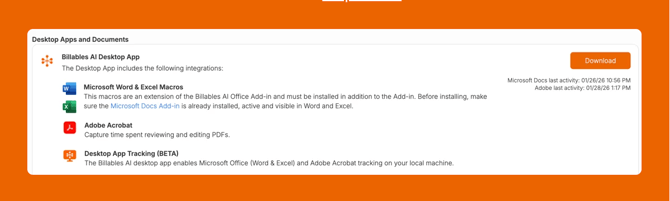
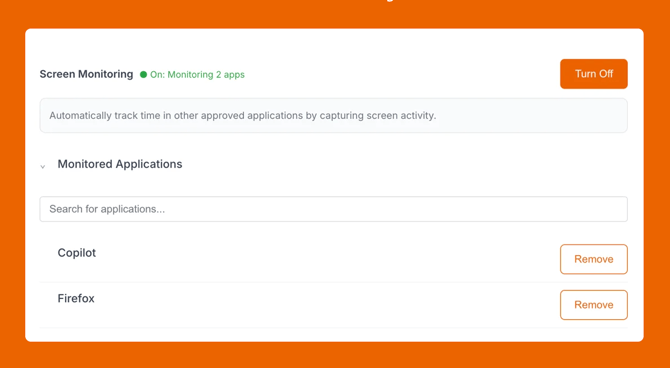
Desktop App Tracking (BETA) is an optional way to capture activity from the specific desktop applications you choose. After installing the Billables AI Desktop app, you can select which programs to track—giving you more complete coverage of work activity without blanket monitoring.
Who should use this?
This feature is ideal for anyone who regularly works in desktop applications that don’t yet have a direct Billables AI integration. You can see our full list of integrations here.
How do I get started?
Download the Billables AI Desktop App today from the Integrations Page. To learn more, visit our Help Center.