Lawmatics Billing Code Import
Last updated: June 2, 2026
This article explains how to export your clients and matters from Lawmatics and import them into Billables AI.
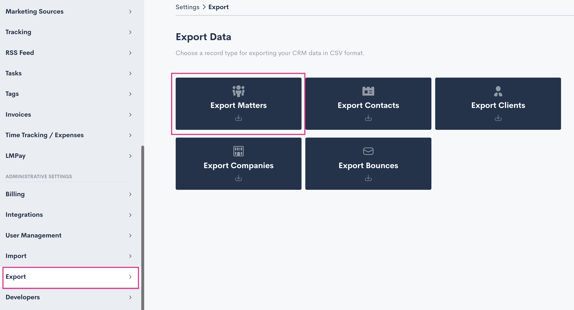
See instructions for how to export matter lists from Lawmatics. Go to Settings (gear icon near the top right) and then select Export from the left sidebar menu. Select Export Matters.
Download the Bulk Upload CSV Template from Billables and populate with the data from Lawmatics
Make sure the fields from Lawmatics match to the corresponding field in Billables:
Client (Billables): First Name + Last Name (Lawmatics)
Client_Code (Billables): Not required
Matter (Billables): Case Title (Lawmatics)
Matter_Code (Billables): Matter ID (Lawmatics)
Note:
Client is a required field
Make sure not to change the column headers when updating the spreadsheet
Bulk upload your Billing Codes to Billables. You should see them populate on the Billing Codes page shortly.