Billables AI Insights: Ask Your Work Anything
Last updated: June 2, 2026
Insights is a conversational interface in Billables AI that lets you ask questions about your work activity and firm operations—and get instant, data-backed answers.
Instead of manually pulling reports or digging through dashboards, you can simply ask a question in plain language. Insights analyzes your captured work activity (emails, meetings, documents, calls, and more) to surface the information you need.
What You Can Do with Insights
Insights helps you quickly understand how you and your firm are spending time, without running manual reports.
Ask questions like:
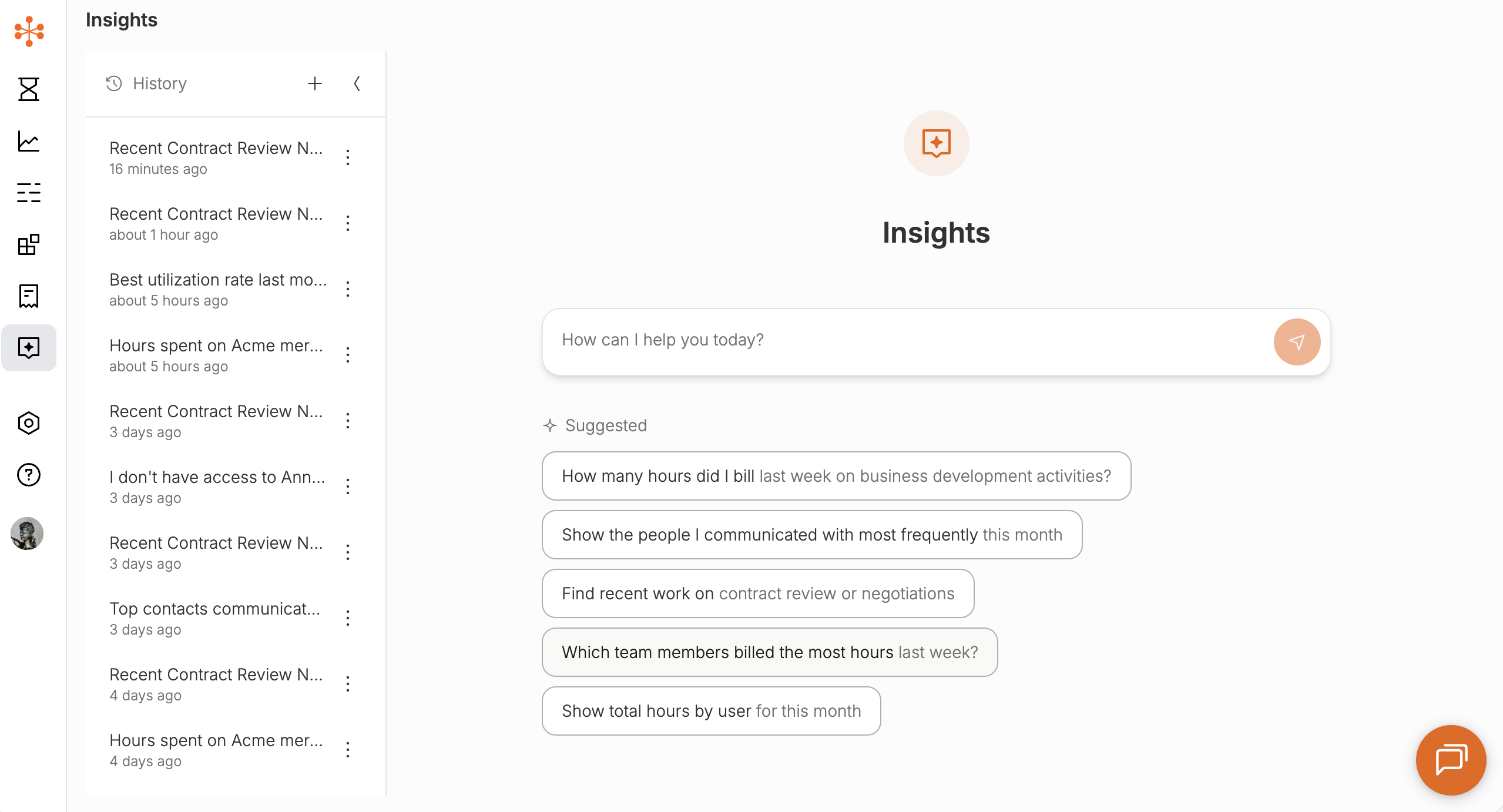
How many hours did I bill last week on business development activities?
Show the people I communicated with most frequently this month
Find recent work on contract review or negotiations
Which team members billed the most hours last week?
Show total hours by user for this month
You can ask follow-up questions, refine your queries, or explore trends—all within the same conversation.
How It Works
Insights is powered by the same underlying data that fuels Billables AI:
Comprehensive activity capture from your integrations (email, calendar, docs, meetings, etc.)
Structured time data including client, matter, billable status, and activity type
Continuously updated records as your work is captured and categorized
When you ask a question:
Insights interprets your request
It analyzes your relevant activity and time data
It returns a clear, summarized answer (and may include supporting breakdowns)
Types of Questions You Can Ask
Personal Productivity
How much time did I spend on [client/matter] this week?
What percentage of my time was billable last month?
How much time did I spend in meetings vs. email?
Work Activity & Trends
Show my time trends by week over the last month
What types of activities take up most of my time?
When am I most active during the day?
Client & Matter Insights
Which clients did I spend the most time on this month?
Show recent activity for [client/matter]
How much time was spent on contract review vs. internal work?
Team & Firm-Level Insights (Admins)
Which team members billed the most hours last week?
Show total hours by user for this month
How does billable vs. non-billable time break down across the team?
Who Can See What
Individual users can query and view their own work activity and time data
Admins can access aggregate, firm-level insights across users
Admin views focus on summarized data, not individual time entry details
Tips for Getting the Best Results
Be specific: Include timeframes, clients, or activity types
Example: “Show billable hours for Client X last week”
Use natural language: No need for exact filters or report syntax
Ask follow-ups:
“Break that down by matter”
“Compare that to last month”
Explore trends: Try questions that look at changes over time
Why Insights Matters
Insights turns your day-to-day work activity into actionable intelligence.
Instead of spending time:
Reconstructing work
Running reports
Guessing where time went
You can:
Instantly understand how time is spent
Identify gaps, trends, and opportunities
Make better decisions about workload, staffing, and billing