Uninstall the Microsoft Docs Add-in (Admin)
Last updated: June 2, 2026
Learn how to remove the Add-in from Word, Excel and PowerPoint. Microsoft Admin access required.
The following instructions only apply if the Microsoft Add-in was originally installed and deployed by an admin in the Microsoft Admin center.
If you originally installed the Microsoft Add-in directly through the App Store (instead of through the Admin Center), see these instructions to uninstall.
Admin Uninstall of Microsoft Add-in
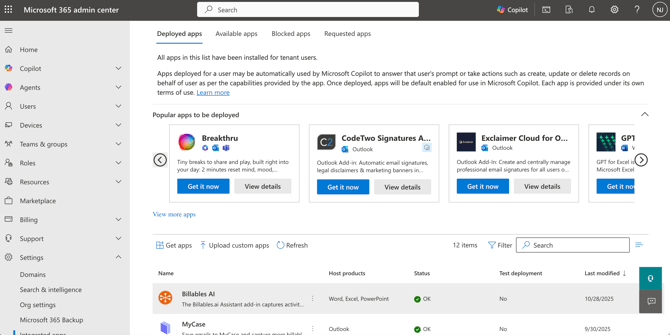
1. Go to the Microsoft Admin Portal and select the Billables AI app
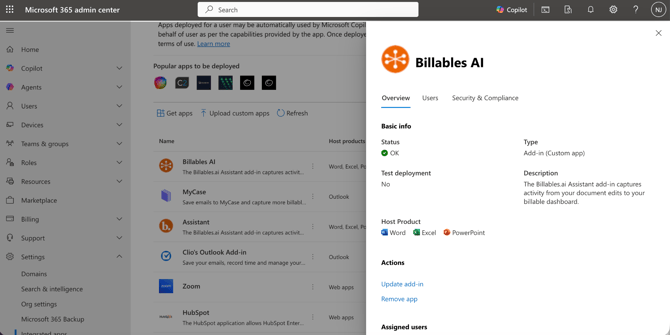
2. Click Remove app:
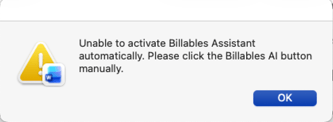
If you were also using the Billables AI macro, you'll want to uninstall this as well or you'll get a pop-up error each time you open up Word or Excel.
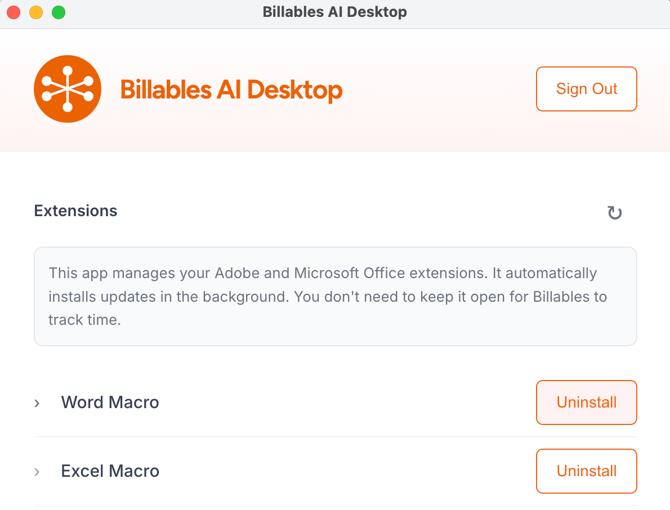
Open up your Billables AI Desktop App and click Uninstall for Word and Excel:
Looking for the Billables AI Desktop app? You can download it from the Integrations page.